
If you mistakenly gave consent to some annoying pop-under ads that keeps coming on whenever you start your chrome or any other browser, this article is for you.
If you’re yet to understand what pop-under ads mean on chrome on any other desktop browser, let me explain. The external tab that opens immediatly you open your chrome browser is known as pop-under ads, and you must have activated it while browsing on a website that puplishers such ads.
Worried if your private datas are at risk
Well it’s quite obvious that your data might be at risk, as you might mistakenly give consent to the platforms displayed on the pop-under ads.
It’s usually a discomfort opening web pages unkowningly and that might lead to potential risk of personal information or data.
How To Stop annoying pop-under ads
There are various ways of stopping the pop-under ads
- Locating Thiird party cookie page: Open your Browser, Click on the 3 dot vertical icon and select the Settings Menu. Click on Settings, open the Privacy and security from the option. Select Third-Party cookies and see list of the sites popping up. Cick See all site data and permissions and use the delete all options or delete icons behind them. If after opening this page and you did’nt locate the sites popping-up, try the next step.
- Notification: Open your Browser, Click on the 3 dot vertical icon and select the Settings Menu. Click on Settings, open the Privacy and security from the option. Select Site Settings and choose Notifications from the options. See list of the sites popping up. Cick on the 3 dot vertical icon beside them to delete. If after opening this page and you did’nt locate the sites popping-up, try the next step.
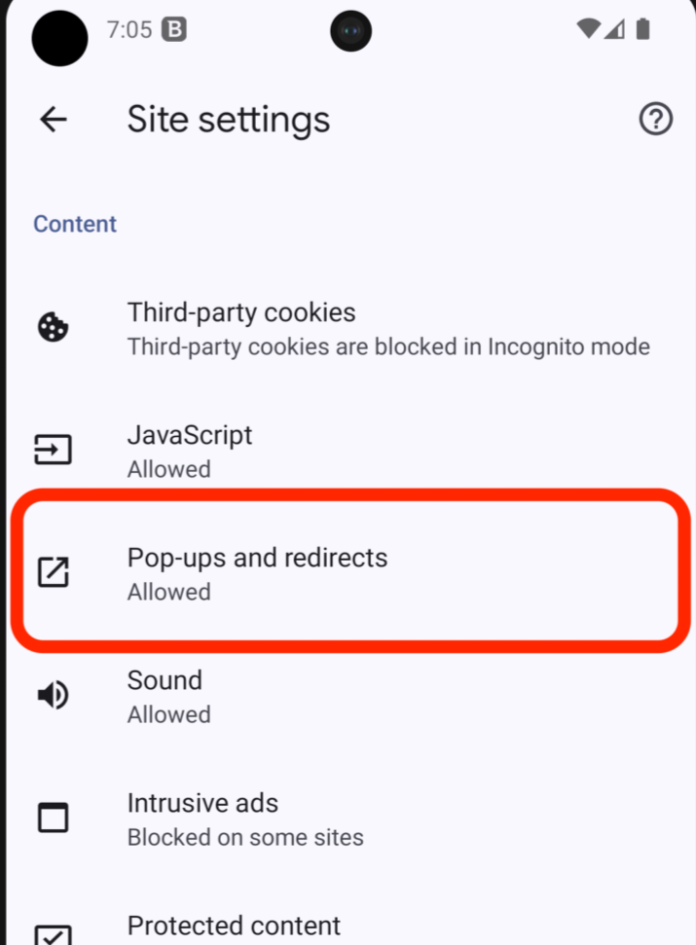
- Pop-Ups and redirects: Open your Browser, Click on the 3 dot vertical icon and select the Settings Menu. Click on Settings, open the Privacy and security from the option. Select Site Settings and choose Pop-Ups and redirects from the options. See list of the sites popping up. Cick on the 3 dot vertical icon beside them to delete
Either of the methods listed above wil resolve the issue. See other interesting articles here.
Do well to share this information to friends that might needs it. Follow our new Facebook page for notifications on new post & Subscribe to our channel for latest football highlights.

